In developmentFor homes with building automation — and for the installers who set them up.
Lumapanel: touch wall panel for Home Assistant and Loxone
A touch wall panel for home automation. You change the screen layout in a web browser — no developer, no recompiling.
Lumapanel is in development: it runs on prototypes and is not on sale yet.
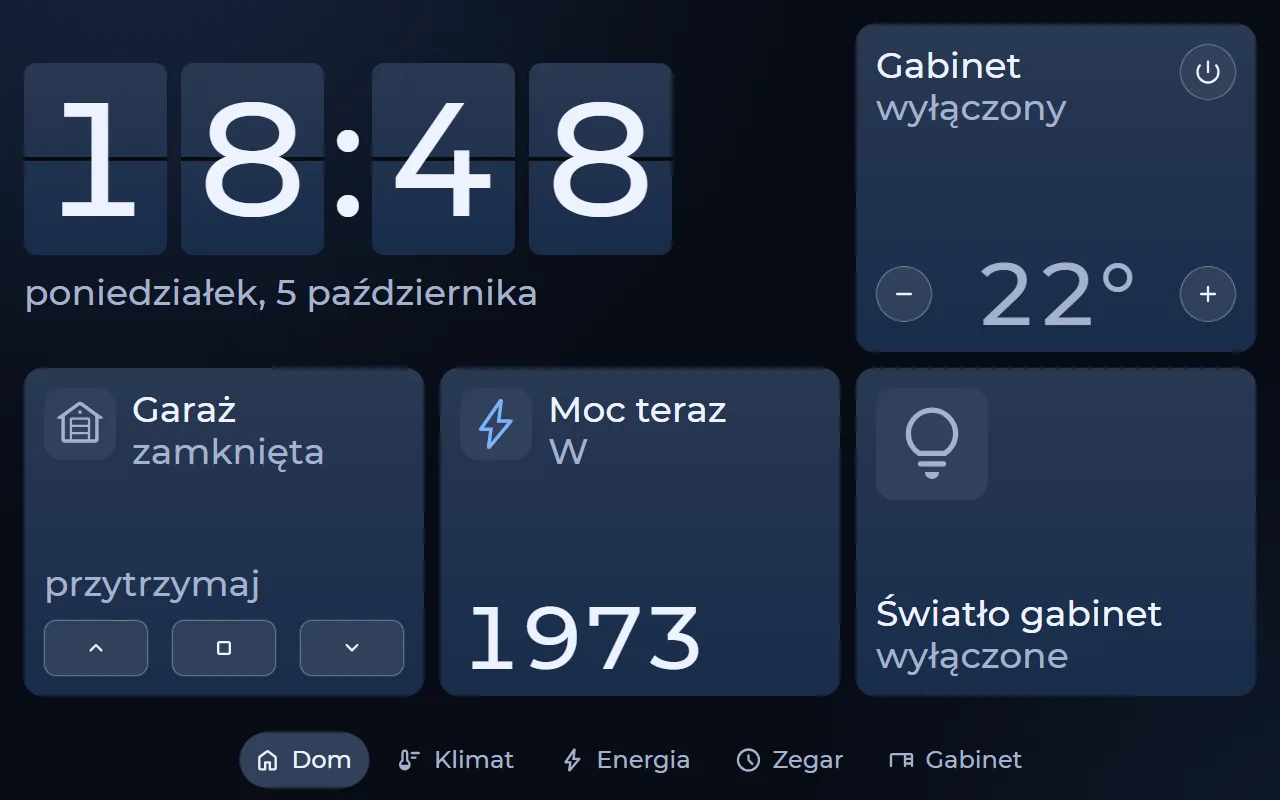
Lumapanel is a touch panel mounted on the wall that controls lighting, blinds, gates, climate and scenes in a home with building automation. It works with the system you already have — Home Assistant or Loxone, with a Fibaro adapter in testing.
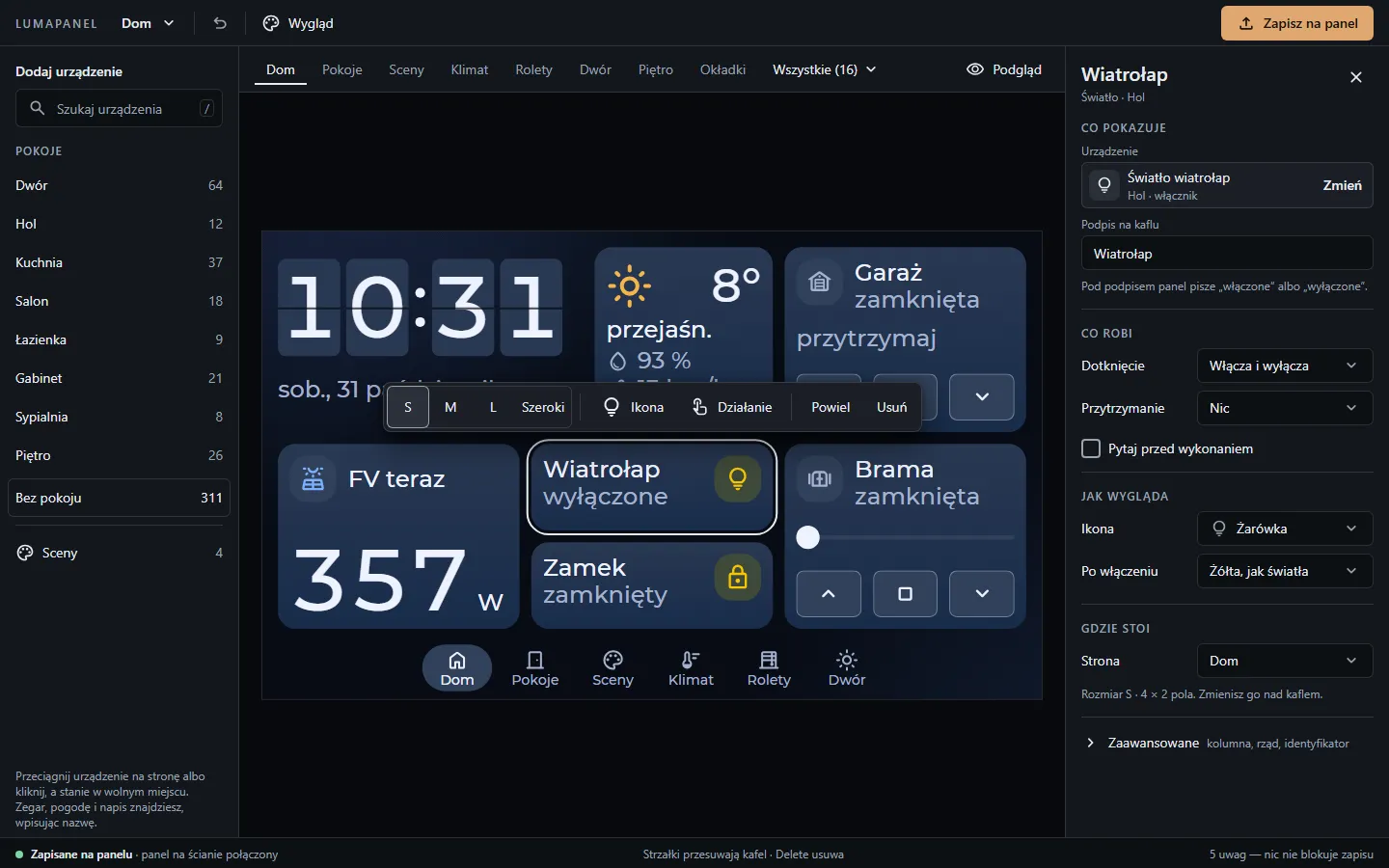
What sets it apart is the designer: a screen editor hosted by the panel itself. Open the panel’s address in a browser, arrange pages from your home’s devices and save — the panel shows the new layout straight away. No recompiling, no firmware flashing and no developer visit.
How it works
From the wall to your own layout — in three steps
Panel on the wall
Lumapanel connects to your home automation system and fetches its list of devices, scenes and sensors.
Designer in your browser
Type the panel's address into a browser. The editor runs on the panel itself — nothing to install, no cloud account to create.
Save, no recompiling
Arrange your pages and save. The panel draws the new layout straight away — no developer, no firmware flashing.
Designer
A screen editor that lives inside the panel
Changing how the screen looks must never require a developer visit. That is why the panel layout is a project the panel reads at runtime — and you edit it in a browser.
- Devices from your system wait in the palette, grouped by room — drag them onto a page.
- Adjust a tile in the properties panel — caption, icon, what a tap and a long press do.
- Build scenes in the designer and the panel runs them — the same way for every system.
- Save, and the panel shows the new layout right away.
The "Home from rooms" wizard
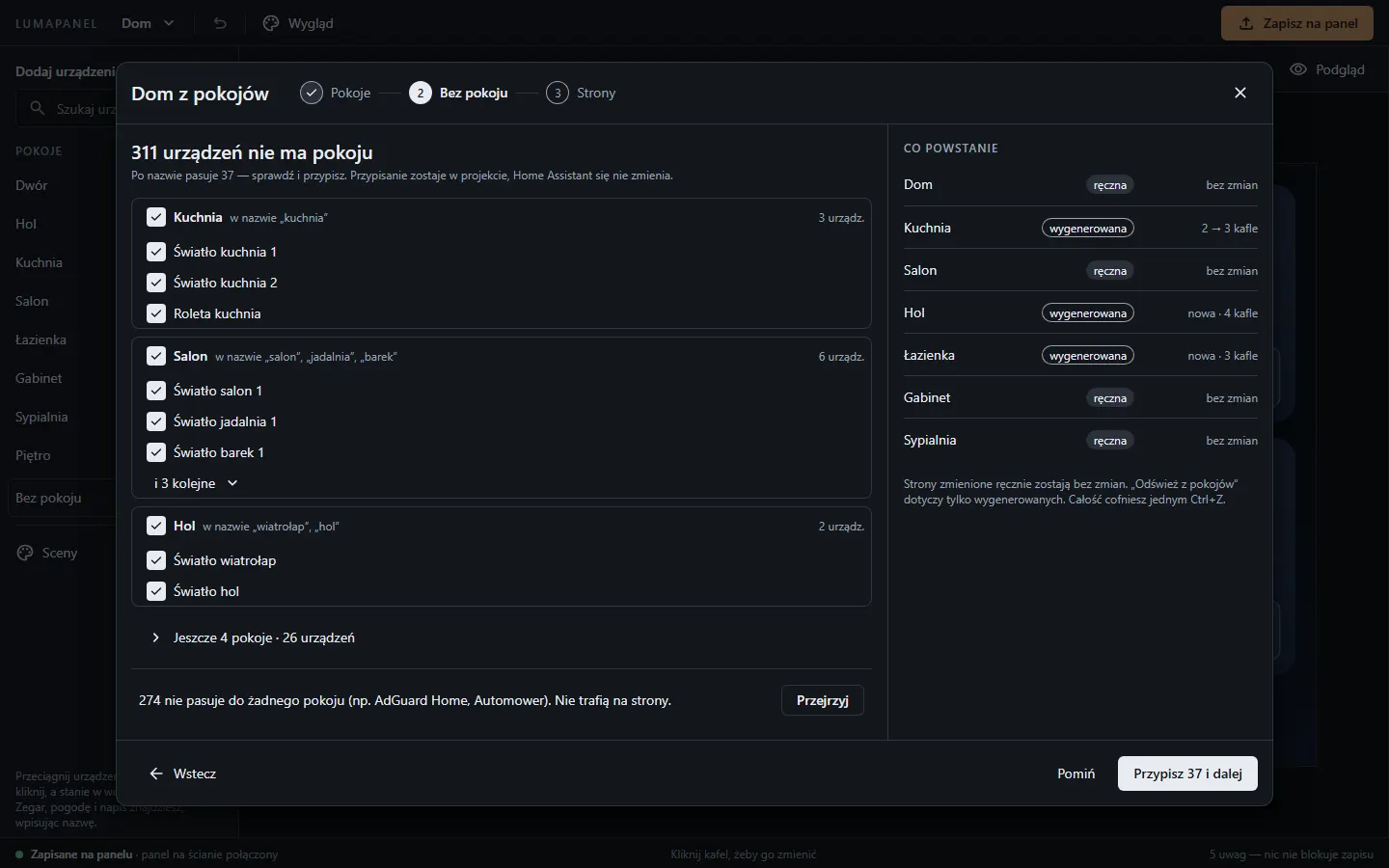
Builds pages from the rooms defined in your automation system. It helps assign devices without a room by name — you decide what goes on screen.
Ready-made looks
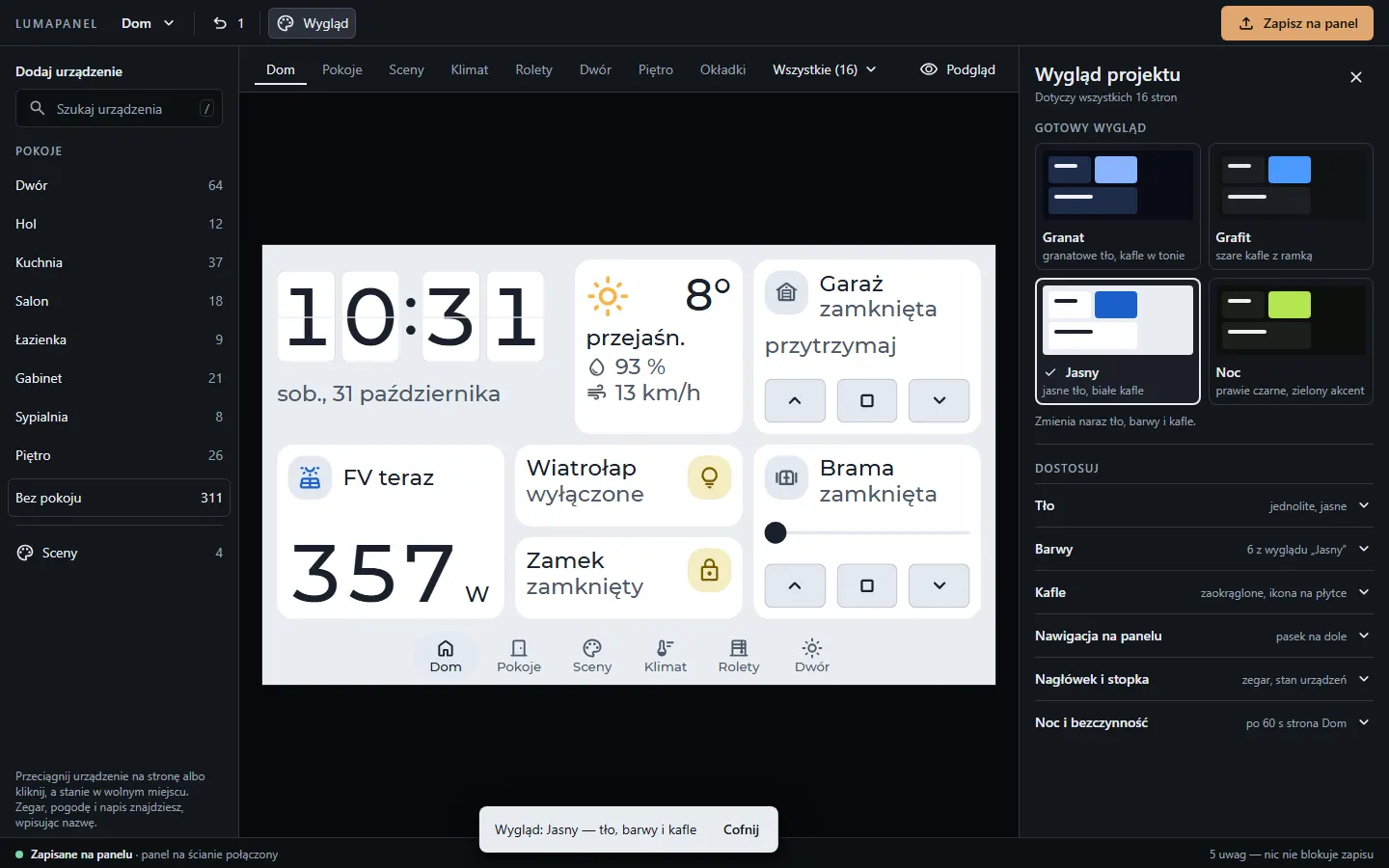
One click changes the background, colours and tiles of the whole project at once; then fine-tune the details.
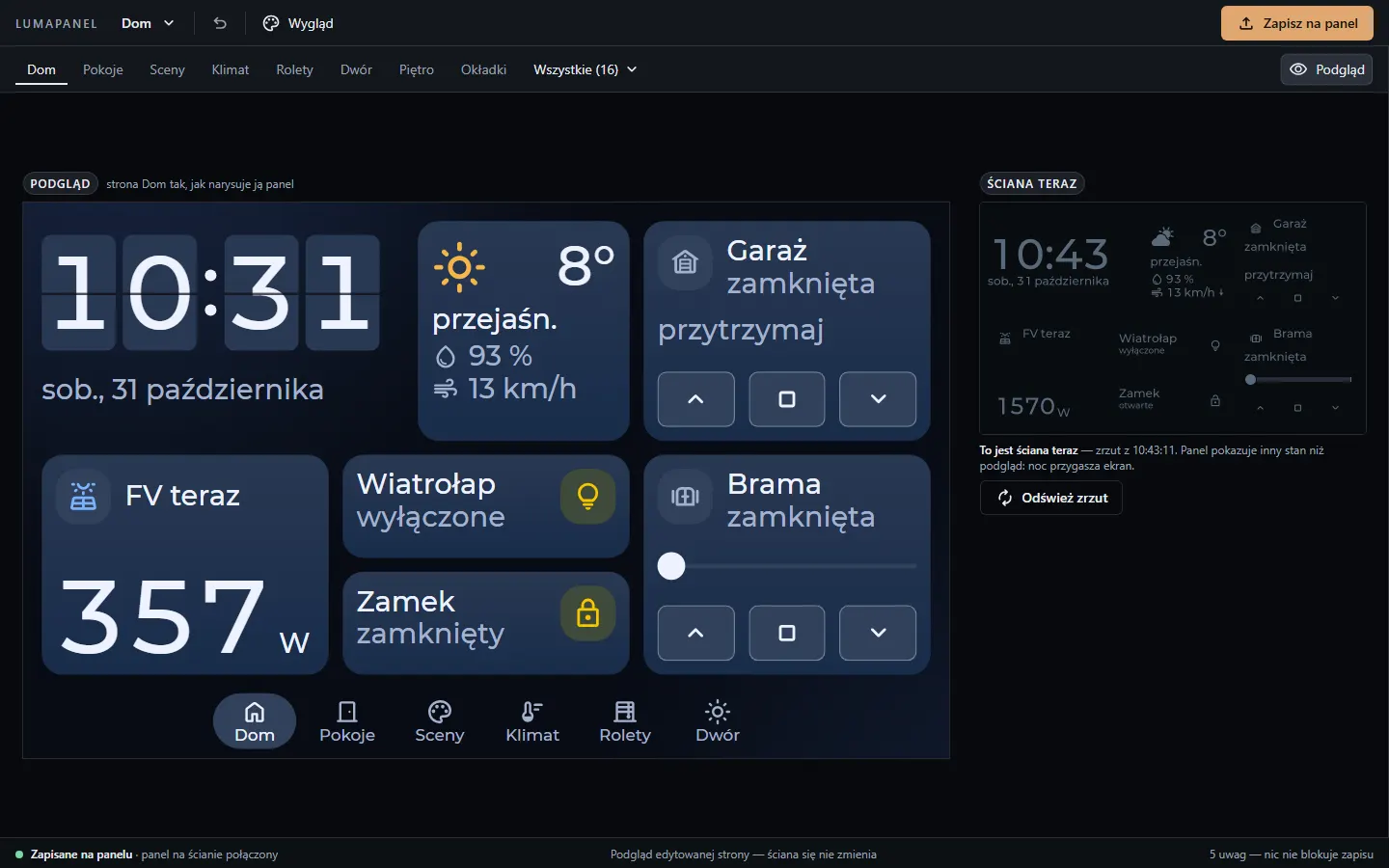
Live preview
See the page exactly as the panel will draw it — before you save anything.
Panel
A screen that shows your home, not a list of switches
Lay out pages your way — with tiles for lights, blinds, gates, climate, readings and scenes. Every tile shows state straight from your system, and missing data reads "unknown", never zero.
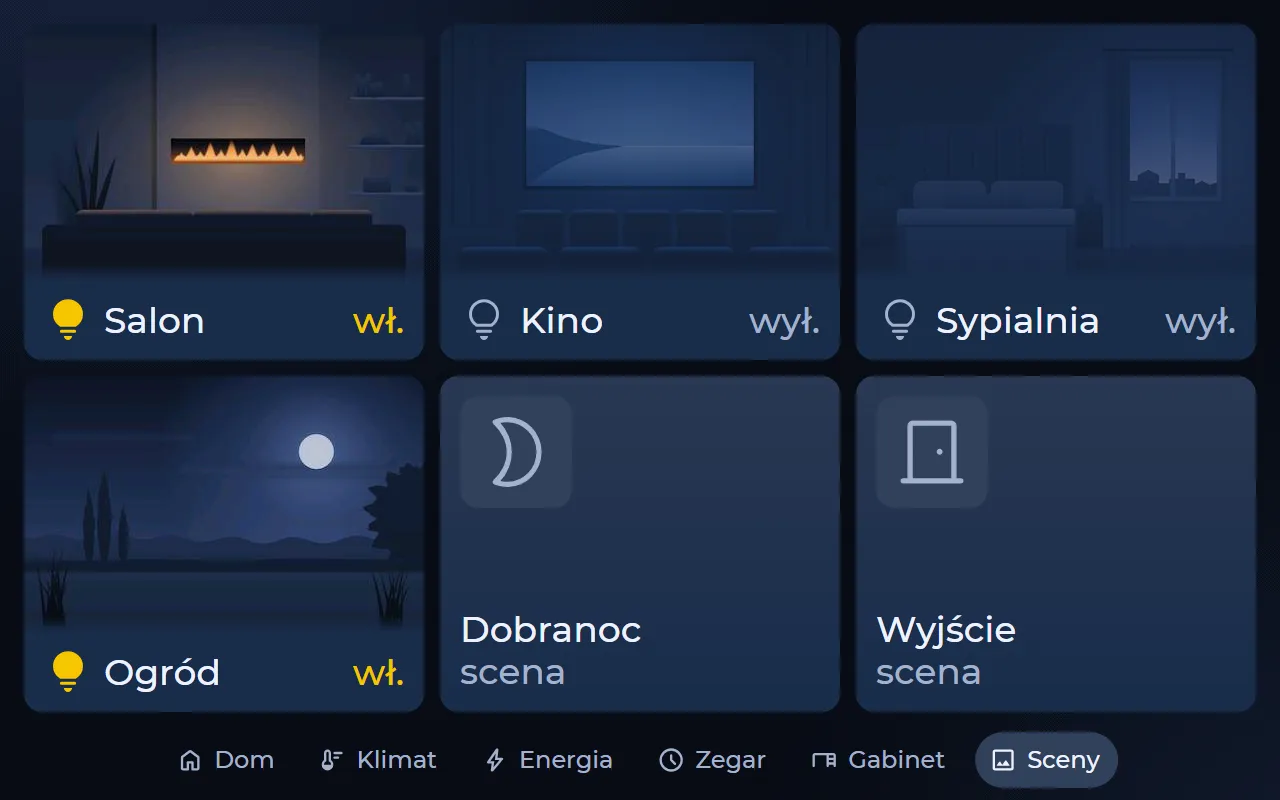
- One-tap scenes, with illustrations behind the tiles.
- A floor plan from above and in 3D — the rooms on the plan are buttons.
- An installation diagram on your own background, with control and reading points anywhere on the image.
- Night mode dims the screen when nobody is using it.
Screen formats we work on today — the device family is in preparation:
- 4″480 × 480
- 7″800 × 480
- 10.1″1280 × 800
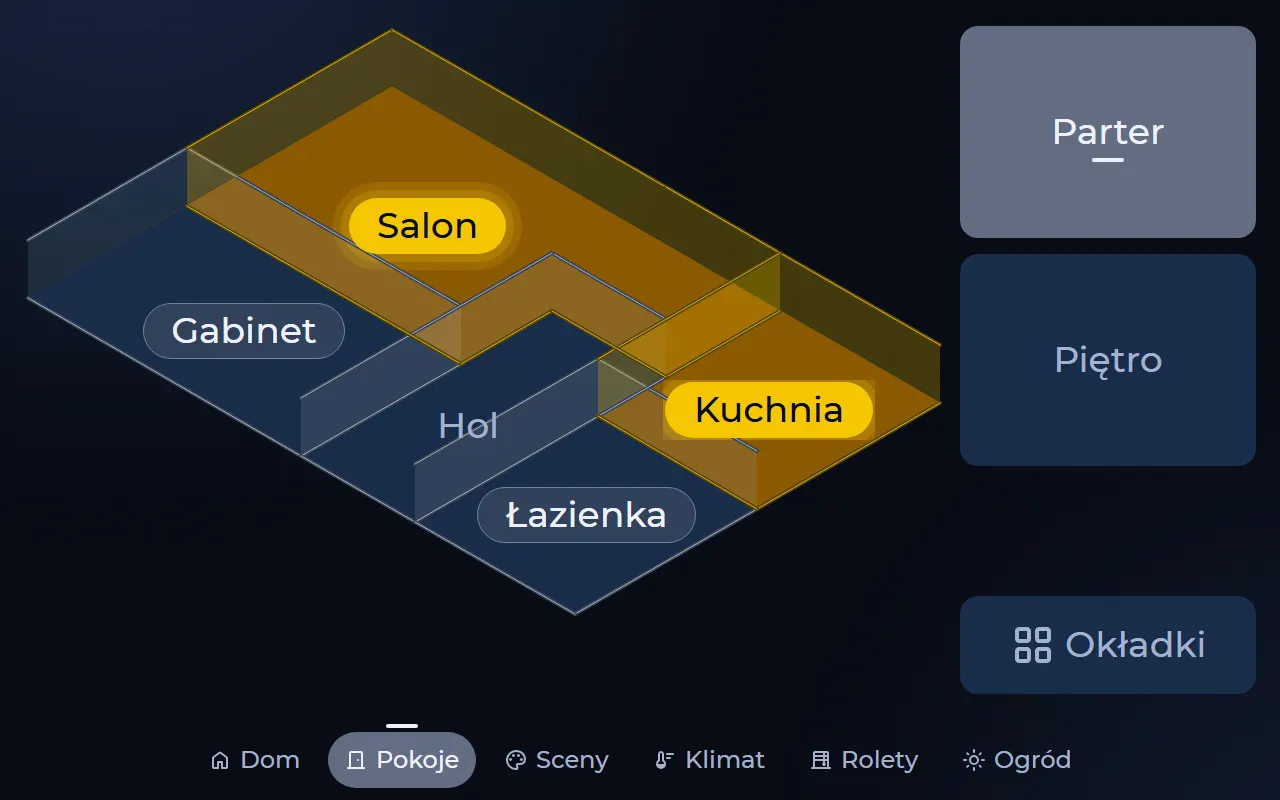
3D floor plan
A floor plan drawn live by the panel — rooms light up when their lights are on.
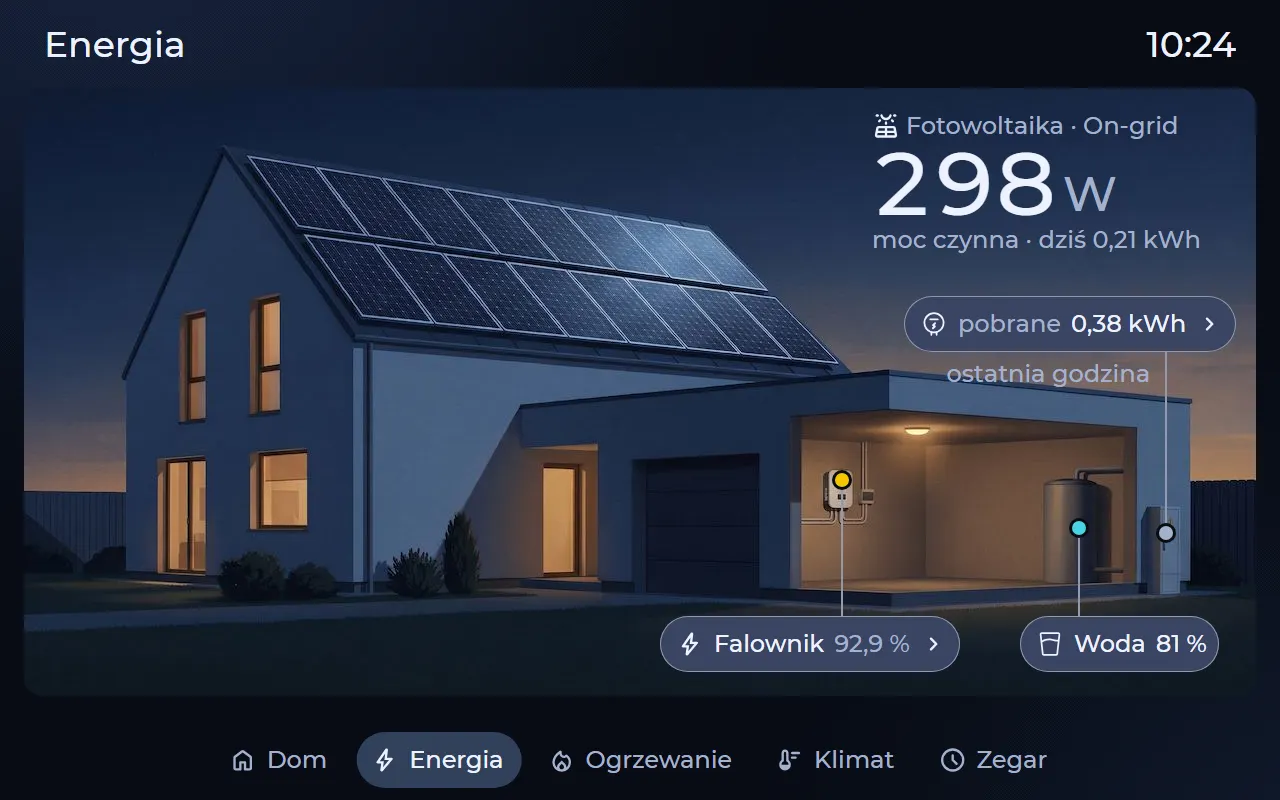
Installation diagram
An illustration or the installer's drawing, with reading and control points on top — for example solar panels, the inverter and the water tank.
Integrations
Works with Home Assistant and Loxone — the system you already have
The panel is a client of your home automation system, not a part of it. It fetches the list of devices and calls what already exists in the system — the controller never needs to know how the screen looks.
Home Assistant
WorksConnects over the WebSocket API. The panel fetches entities for the designer, controls them and shows their state live. Tested on a live installation.
Loxone
WorksConnects to the Miniserver — installation structure from its configuration, blocks controlled by their identifiers. Tested on a test Miniserver.
Fibaro Home Center 3
In testingAn adapter for Home Center 3 — first tests on an HC3 Lite controller.
Ampio
PlannedWe are working out how to connect to the system. No date yet.
The panel uses the interfaces your system already provides — no add-ons on the controller side.
10.1″ panel
Intercom and cameras on a bigger screen
The 10.1″ panel adds features that need more processing power and more screen.
SIP intercom
WorksThe panel takes the call from the door station — the doorbell, the station's camera picture and a voice conversation on screen.
IP cameras
WorksCameras on your home network (RTSP, MJPEG) right on the page tiles, with a smooth full-screen picture on a tap.
Security and updates
Local, predictable, signed
Runs on your network
The panel talks to your automation system on your home network, and the designer runs on the panel itself. You don't need a cloud to control your home.
Signed updates
Software updates arrive over the network and are digitally signed. The panel installs only a release with a valid signature.
Safe rollback
If a new version fails to start, the panel returns to the previous one. Updates never touch your project.
Your project is safe
A failed save from the designer never breaks the working screen, and service mode never deletes your project. After a Wi‑Fi outage or a controller restart, the panel reconnects on its own.
Languages
In English and in Polish
Lumapanel is being built in two languages. The interface translation is in progress.
Designer
The editor follows your browser's language — the installer works in their own.
Panel
You choose the screen language in the panel's settings. Names you type stay exactly as you wrote them.
Questions
Frequently asked questions about Lumapanel
Does Lumapanel work with Home Assistant?
Yes. The panel connects to Home Assistant over the WebSocket API — it fetches entities for the designer, controls them and shows their state live. We tested it on a live installation.
What about Loxone, Fibaro and Ampio?
Loxone works — the panel connects to the Miniserver, and we tested it on a test Miniserver. The Fibaro Home Center 3 adapter is in testing. Ampio is planned, with no date yet.
Do I need the cloud?
Not to control your home. The panel talks to your automation system on your home network, and the designer runs on the panel itself — there is no cloud account to create.
Do I need to install anything on my controller?
No. The panel uses the interfaces your system already provides, so nothing needs to be added on the controller side. The designer needs no installation either — you open the panel's address in a browser.
How much does it cost, and when is the launch?
We are not giving prices or dates yet — Lumapanel is in development and runs on prototypes. Join the waitlist and you will hear from us first.
The screens on this page are interface mock-ups from the Lumapanel project — the finished product may look different. Home Assistant, Loxone, Fibaro and Ampio are trademarks of their respective owners; LumaSoft is not affiliated with them.
Waitlist
Want to know when we launch?
Lumapanel is in development. We are not giving prices or dates yet — we will tell you once they are certain.
Leave your contact details and you will hear from us first. Are you a home automation installer or integrator? Tell us which systems you work with — we would be glad to talk about projects.